
Uninstall ASURViO Shield from Windows
-
Find the app
Type ASURViO Shield into your taskbar search box and click Uninstall. If search does not show ASURViO Shield, it is already uninstalled.
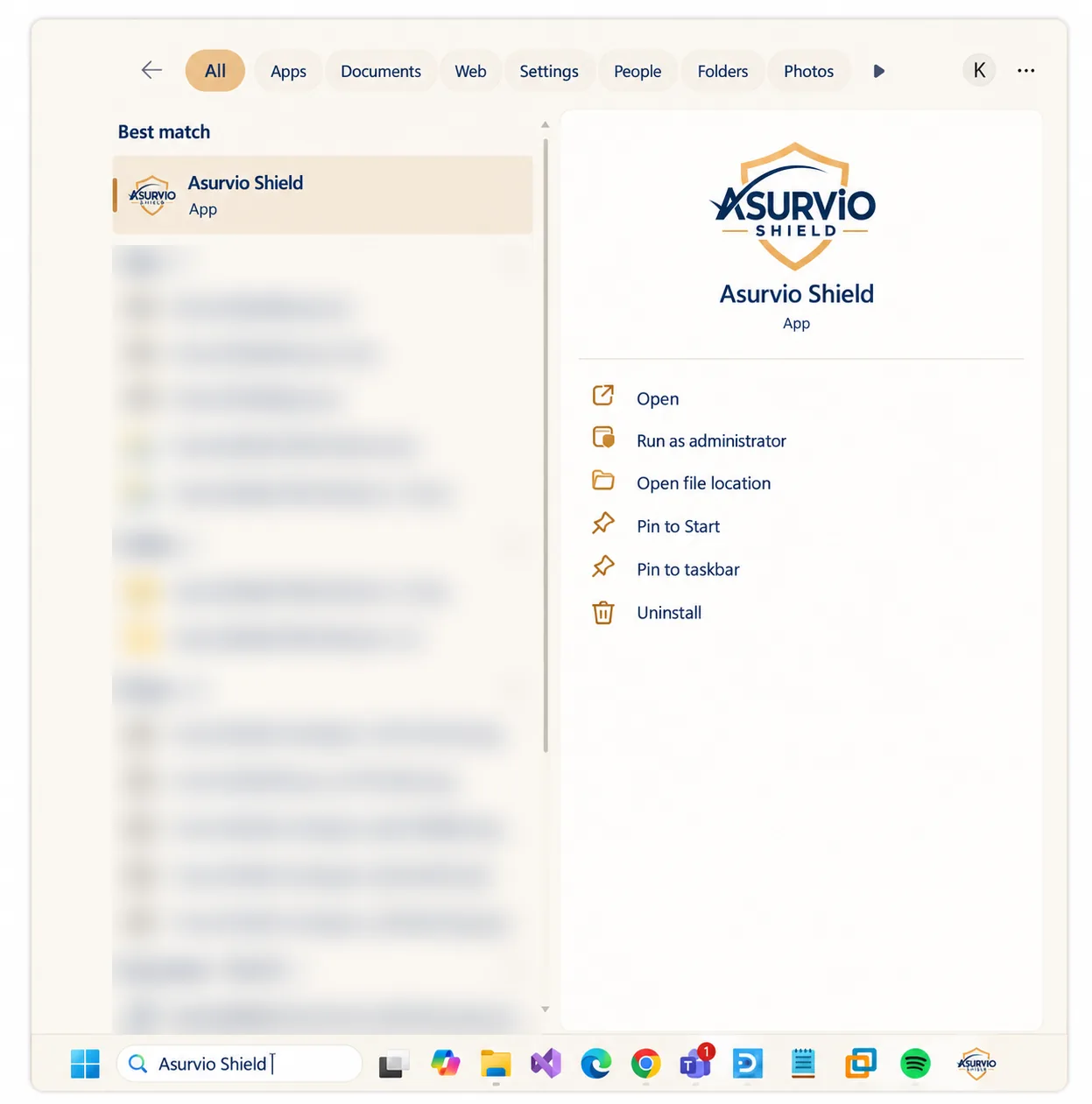
Brand-updated illustration of the original Windows screen. -
Select Uninstall
Type ASURViO Shield again on the Windows Settings > Apps page that opens from Step 1. Click the three dots at the right of the ASURViO Shield list item and select Uninstall.
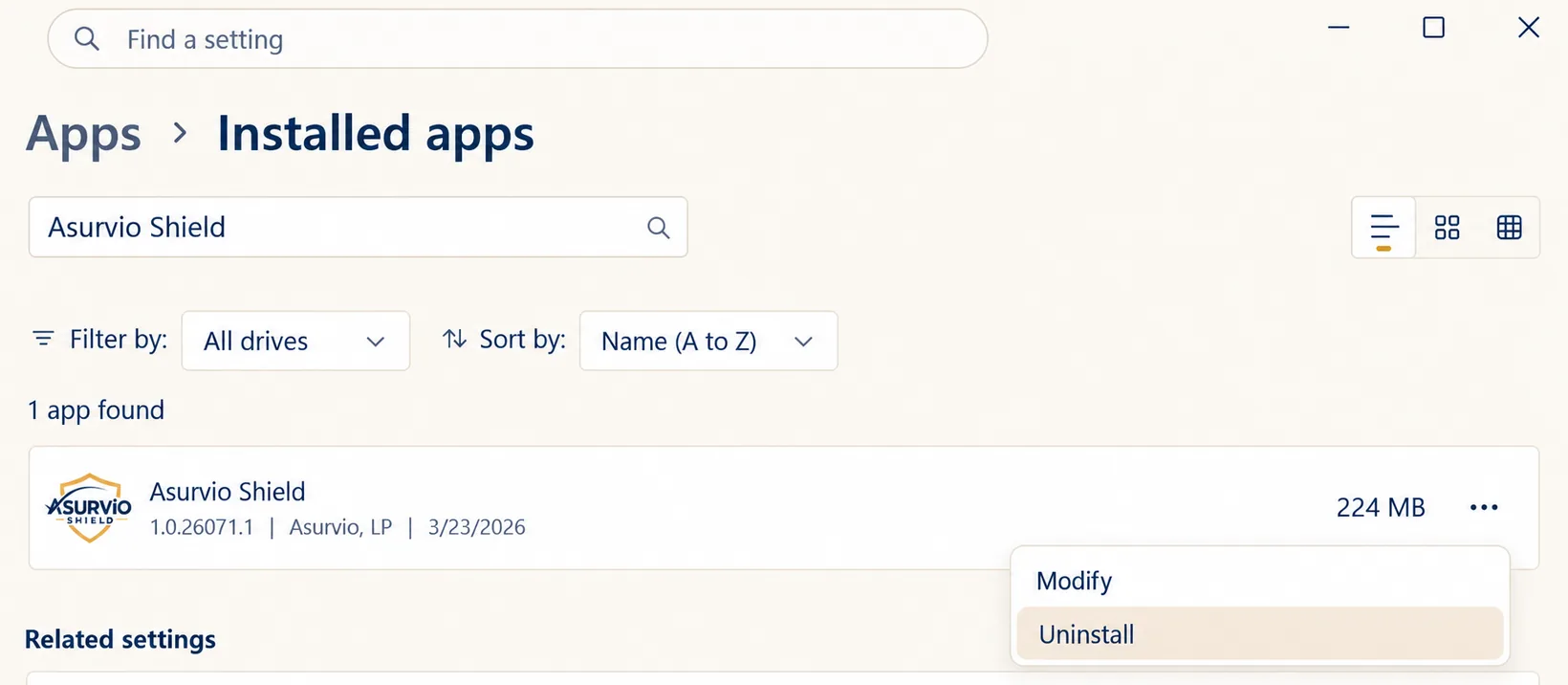
Brand-updated illustration of the original Windows screen. -
Complete the removal
ASURViO Shield will begin uninstalling and show an uninstall page indicating successful uninstall.
Uninstall ASURViO Shield from Mac
-
Open your Applications folder in Finder and double-click ASURViO Shield Uninstaller.
You can also press Command + Space, type ASURViO Shield Uninstaller, and press Return. If you can’t find it, ASURViO Shield is already uninstalled.
-
Review what will be removed and click Uninstall.
macOS will ask for your Mac password to finish. If Safari is open, you may be asked to close it.
-
Wait for the ASURViO Shield Has Been Removed screen.
If macOS asks you to confirm removing a system extension, approve it in System Settings > Privacy & Security.
You can also drag ASURViO Shield from your Applications folder to the Trash. The uninstaller then opens on its own to finish removing it, and will still ask for your Mac password.
The uninstaller removes the Safari extension and restores your Mac’s network settings. The Chrome and Edge extensions are removed the next time you open those browsers. If ASURViO Shield is still listed there, or you use Firefox, remove it from the browser’s Extensions or Add-ons page.
Remove the ASURViO Shield browser extension
Removing the app does not remove the browser extension. Remove it from each browser where it is installed.
-
Google Chrome and Microsoft Edge
Click the puzzle piece icon in the toolbar, find ASURViO Shield, click the three dots next to it, and choose Remove from Chrome (or Remove from Edge). Click Remove again to confirm.
-
Firefox and other browsers
Open the browser's extensions or add-ons page, find ASURViO Shield, and choose Remove.
Your subscription and account
Uninstalling the app or removing the extension stops ASURViO Shield on that device only. It does not cancel your subscription, delete your account, or stop ASURViO Shield on your other devices. To cancel, follow the steps in Subscription, Billing and Cancellation Terms. To request deletion of your information, see Section 11 of our Privacy Policy.
A real person is within reach.
For help uninstalling or cancelling, email the ASURViO Shield support team.