
Protection for a new era of scams
AI has made scams faster to build, more polished, and harder to spot. We're ASURViO Shield Threat Intelligence, the research team behind Shield. We study the scams built to trick people, from fake websites to deceptive emails, and publish what we find, because recognizing them protects people whether or not they use Shield.
See what we've foundWhat we've found
Each of our reports walks through real scams that ASURViO Shield caught as they appeared: what they looked like, what gives them away, and what to do if you've already interacted with one.
Fake sign-in pages
A credential-harvesting flow copies Google's sign-in exactly, and a Microsoft copy works the same way. The one thing it can't copy is the web address.
Impersonates Google and Microsoft
Fake Google and Microsoft sign-ins copy the real page down to the pixel. Here's how to spot them.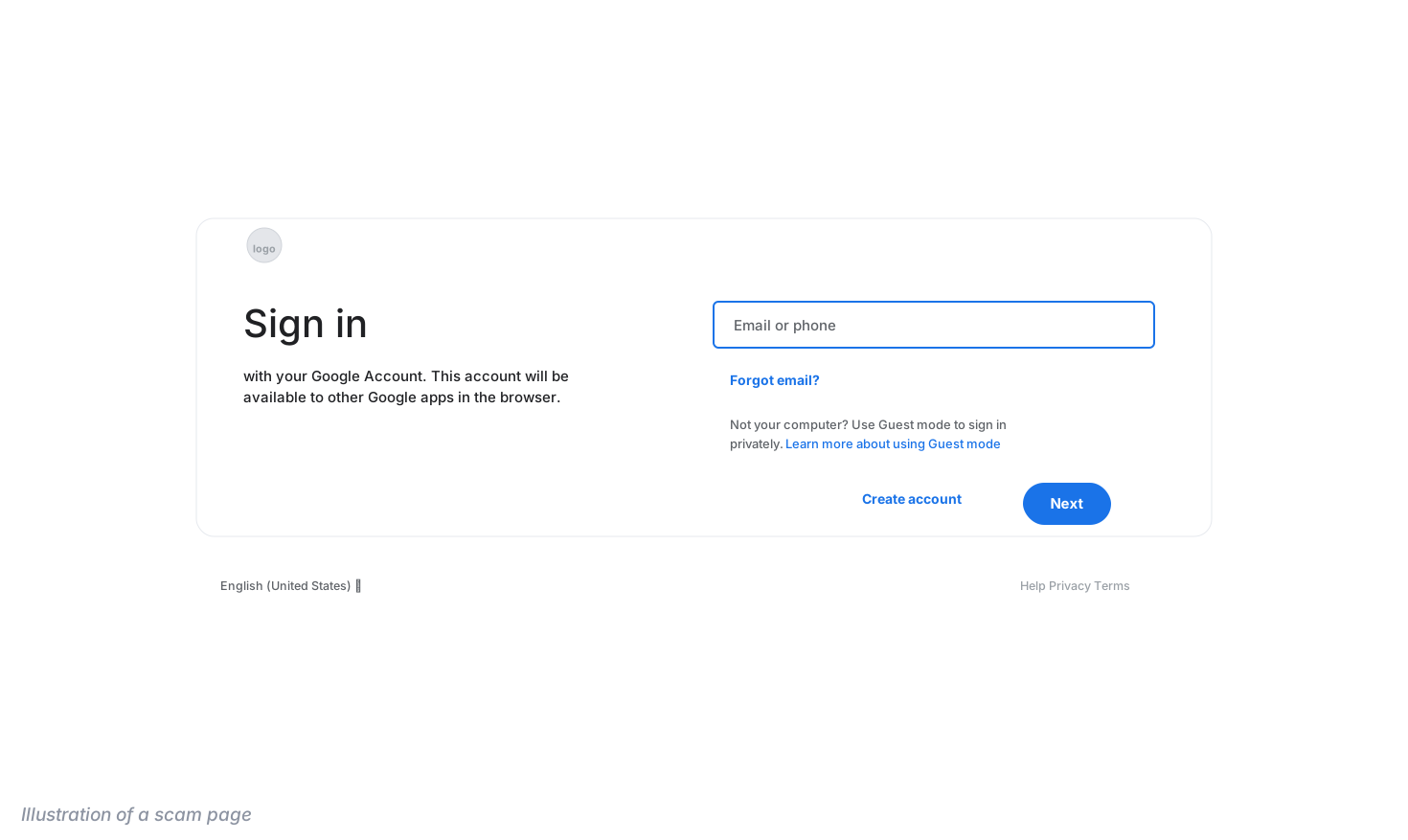
Synthetic storefronts
Scammers are cloning real retailers' websites, complete with working checkouts, countdown timers, and impossible prices.
Impersonates Michaels
Synthetic storefronts copy real stores down to the checkout. Here's how to spot them.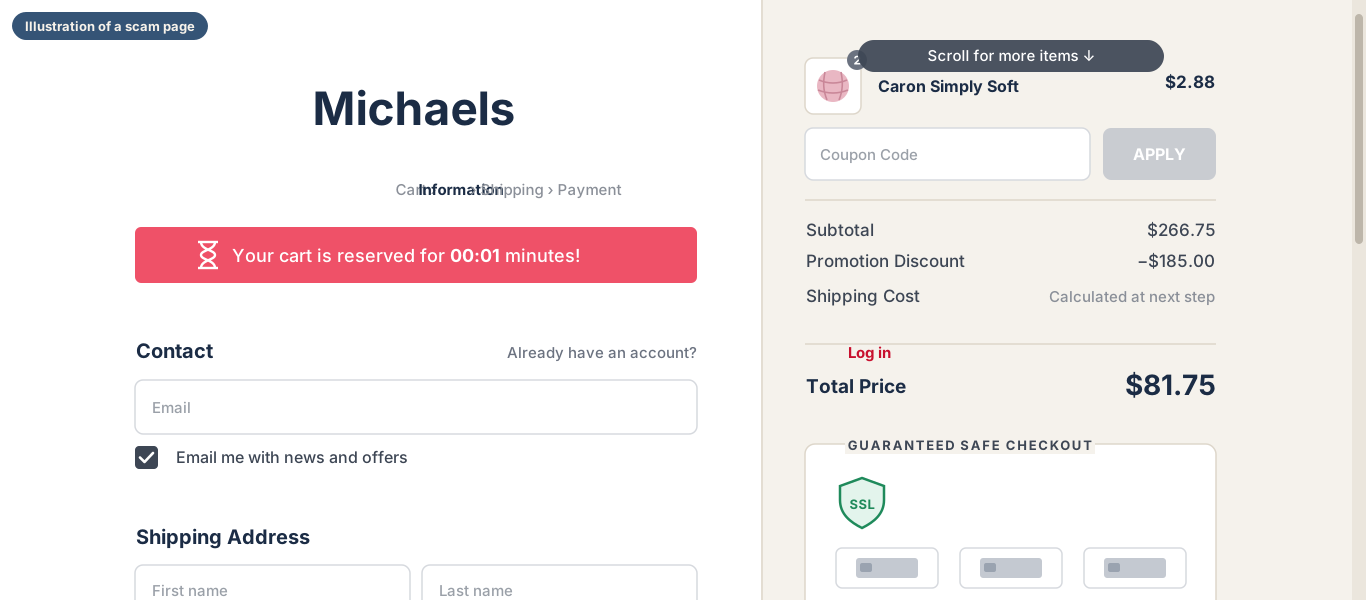
Fake full-screen error messages
Full-screen pages claim your computer is locked or infected and push you to call a number. AI lets scammers build them in minutes, faster than blocklists can catch them.
Impersonates Apple and Microsoft
Scam pages now go live faster than blocklists can catch them. Here's how to spot them.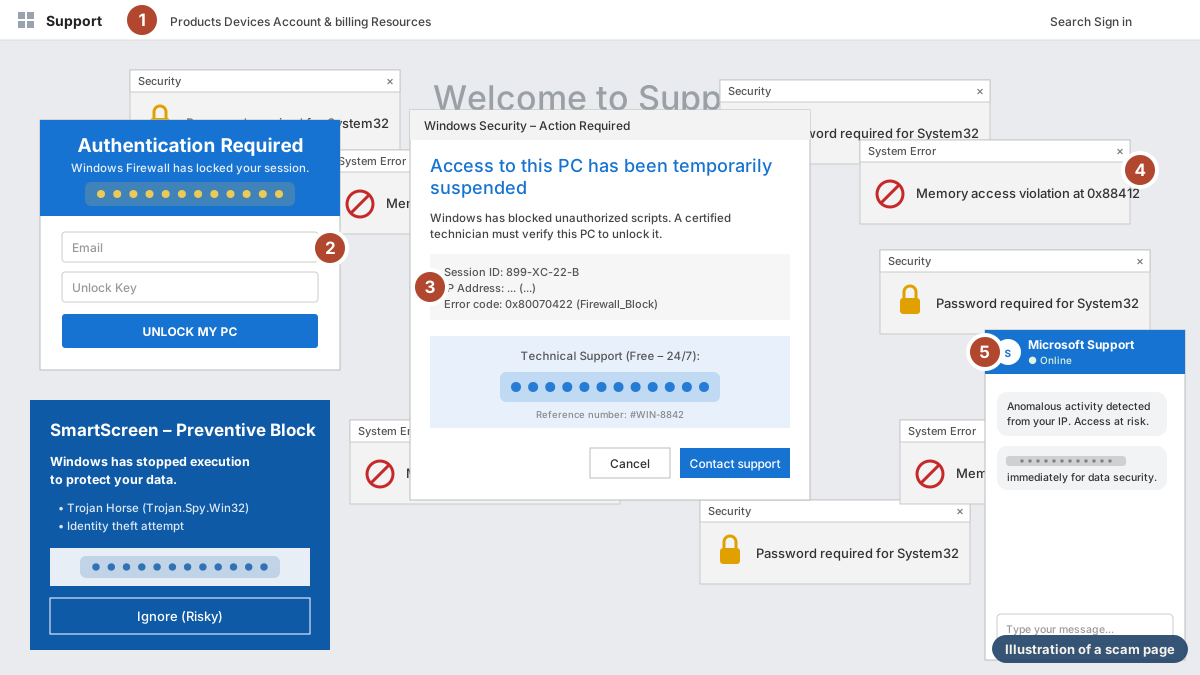
How to stay a step ahead
The scams change every week. These habits, drawn from our reports, work against all of them.
-
Read the web address
A copy can match everything on the page except the address. Google's sign-in is always accounts.google.com, and a copied Michaels store won't be at michaels.com. Read the whole address before you type anything.
-
Notice when your password manager stays quiet
A password manager only fills your password on the real site's exact address. If it doesn't offer on a sign-in page, treat that as a warning.
-
Never call the number on a warning
Microsoft says its error and warning messages never include a phone number. If a page tells you to call someone or enter your password to unlock your computer, press Esc and close the tab.
-
Slow down when something rushes you
Countdown timers, a cart "reserved" for sixty seconds, and discounts you didn't apply are there to stop you from checking. A real store won't make you pay within a minute.
Questions about our research
What is ASTI?
ASTI is short for ASURViO Shield Threat Intelligence, the name of our team. We track new scams as they appear, whether on websites, in emails, or anywhere else, and what we find shapes how Shield protects people. Our reports focus on scams too new to be on anyone's list. We do this because the people these scams target are our own families, friends, and customers, and they deserve a clear explanation of what to look for.
Can a scam harm my computer just by opening it?
Not the ones in our reports. A web page can't scan your files, see your password, or lock your computer. All it can do is fill your screen and push you to act, so if you didn't call, pay, or type anything in, closing it is enough.
How can I help a parent or friend avoid these scams?
Share our reports with them. Each one shows what the scam looks like and what to do if they've already fallen for it. The habits that matter most are reading the web address before typing anything, never calling a number shown in a warning, and slowing down when something rushes them. It also helps to agree that they'll check with you before they call, pay, or type in anything a warning asks for.
What if I already called, paid, or typed something in?
Act quickly, from a device you trust. If you entered a password, change it and sign out of sessions you don't recognize. If you entered a card, call the number on the back of the card. If you let someone connect to your computer, disconnect it from the internet. Each of our reports has the full steps.
How do I report a scam?
In the U.S., report it to the FTC at ReportFraud.ftc.gov and to the FBI's Internet Crime Complaint Center at ic3.gov. You can also tell the company being impersonated through its official website.
Every link, email, and download, checked as you open it
ASURViO Shield checks websites, links, emails, and downloads as people use them, so it can catch scams like these before they're on anyone's list.
See how ASURViO Shield worksPapers: Privacy is Security, Protection for Banking Customers, and Cybersecurity Technical Paper (PDFs, open in a new tab).